Say yes to AI.Stay protected
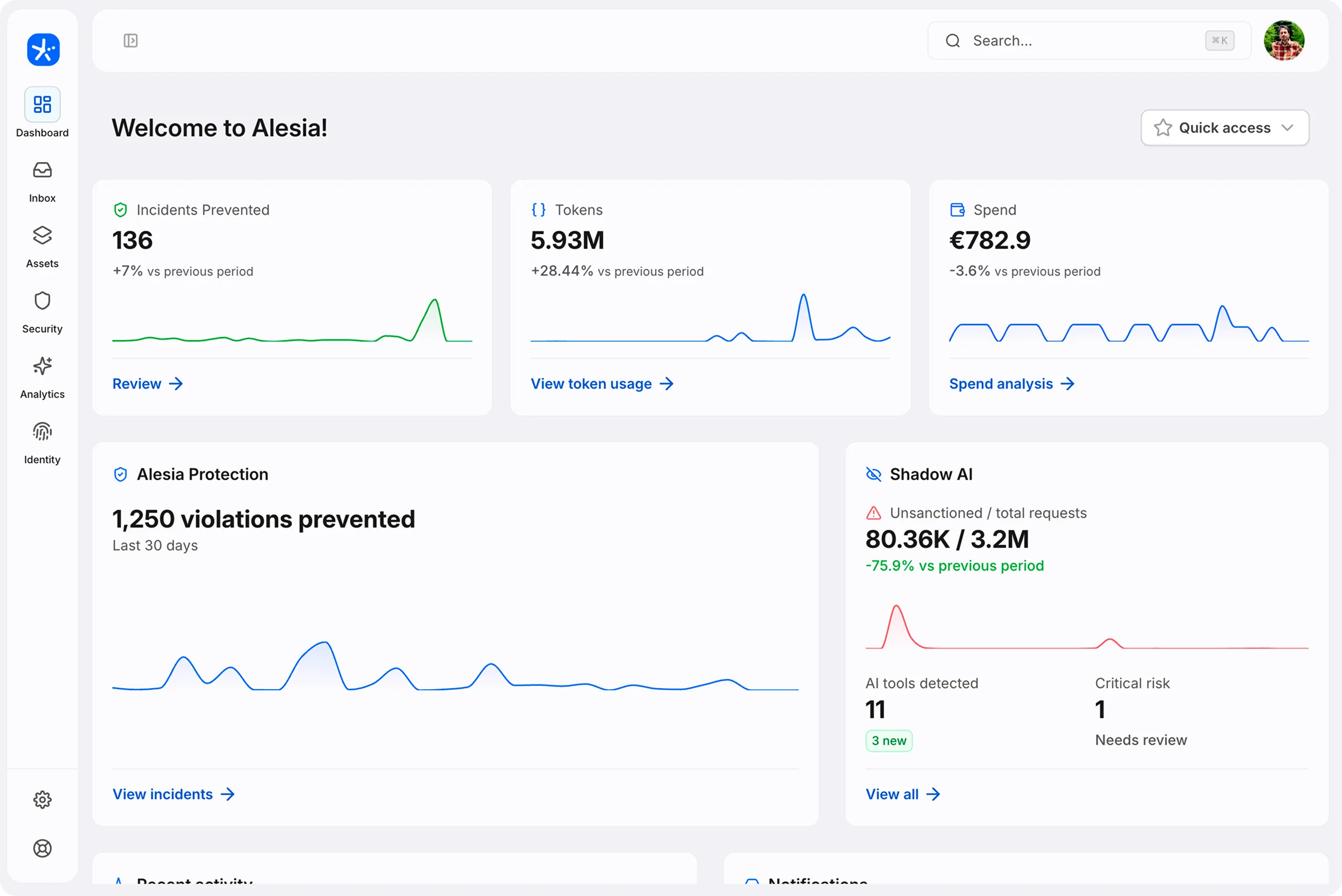
Alesia sees which AI tools you use, catches sensitive data before it reaches them, and limits what coding agents can do. It all runs on your device, and raw prompts never leave it.
Example: an admin edits the Finance team's policy so credentials, customer data and internal figures are blocked in AI tools, then saves and applies it.
Between a ban and a PDF,
there's a better way.
Ban AI and your team uses it anyway, in tools you've never heard of. Write a policy and nobody reads it. Alesia enforces your rules on every device instead.
Rules, not a PDF.
Policies set which teams can use which models, data and runtimes. Enforced on every device.
Nobody slows down.
People keep the AI tools they already use. Alesia works in the background.
Prompts stay local.
Data protection runs on the device. Only metadata, like usage and event type, reaches the dashboard.
Wherever AI runs.
Browser, native apps, terminal and IDE, including AI coding agents.
Works with 100+ AI models


- ChatGPT
- Claude
- Gemini
- Microsoft Copilot
- GitHub Copilot
- Perplexity
- Meta AI
- Grok
- Cursor
- Windsurf
- Lovable
- Midjourney
- Sora
- Runway
- ElevenLabs
- Suno
- DeepSeek
- Mistral
- Qwen
- Hugging Face
One agent on every device.
One console for the rest.
Alesia is an on-device agent that enforces your AI rules, protects sensitive data and keeps AI coding agents in check, in the browser, native apps, terminal and IDE. You manage it all from one dashboard.
All featuresExample: an admin changes the Engineering policy so customer data is blocked instead of only warned, and the change applies to the whole team.
Policies
Rules per team for models, data, file uploads, runtimes, token limits, and more. Change one and it applies to every device in that team.
Example: Shadow AI lists the AI tools used across the company. Tools that nobody approved appear at the top as they are found, marked Not approved.


Shadow AI
See which AI tools your company uses, including the ones nobody approved.
Example: in an AI chat, Alesia finds an email address and a card number in a new message. The user picks Redact and send, the values are replaced with placeholders on the device, and the AI replies using only the placeholders.
DLP
Data loss prevention catches sensitive data on the device before it reaches the AI tool, then warns, blocks or redacts it.
Example: a bar chart of AI token usage over the last seven days, highest midweek and low at the weekend. Hovering a day shows its tokens and cost.
Tokens, last 7 days
1.9M tokens
Analytics
Token usage, cost, and where AI runs: browser, native app, CLI or IDE.
Questions,
answered.
No. Detection runs locally on the device, and raw message content never leaves it. Only metadata about an event, like its category, severity and the employee's decision, is synced to the dashboard.
No. Message content stays on the device, and Alesia acts at one moment: the potential leak. It's not a keylogger, an activity tracker or a productivity monitor. Employees are asked for consent during setup.
Yes. The default is a clear, fast warning the employee can choose to override. Hard blocks are reserved for unambiguous cases such as live credentials.
No. Most of the day, nobody notices Alesia. It speaks up only when something actually looks risky.
Alesia is built for everyday mistakes, not determined attackers. Admins can see which users have an active agent, and pairing Alesia with standard device controls, like blocking unapproved app installs, makes the obvious workarounds harder.
Yes. Detection isn't limited to a pre-approved list. Alesia picks up AI tool use in the browser, native apps, terminal and IDE as it happens, including tools nobody approved, so they show up in Shadow AI instead of staying invisible.
Backed by








Say yes to AI.
Set the rules once. Alesia enforces them on every device, and prompts stay on your devices.